

The race page
Standings, results, the details from the sailing instructions and a race-day forecast, plus the crew tab for the boat you are sailing on.
Also known as: race page, race details, first gun, start time, course, start line, documents, notice of race, sailing instructions, results, finishes, corrected time, cancelled, not sailed, race forecast
Tapping any race, anywhere in the app, opens its own page. Signed in, it has two tabs, Overview and Crew.
Overview, top to bottom
Series standings come first, when the series has been scored: the top three in each division, or just the leader when there are more than two divisions, with points. Full standings opens the series page.
Results appear once the race has been scored: one card per fleet, each row a position, boat, sail number, skipper, PHRF rating and corrected time with points. The footer reads Corrected time shown where scored · via Regatta Network.
Details is a small table of whatever the club has published: Date, First gun, Course, Start line and Boats. Under it, the newest of each document the club has posted, as links: Notice of Race, Sailing Instructions, Amendment and Course & Starts.
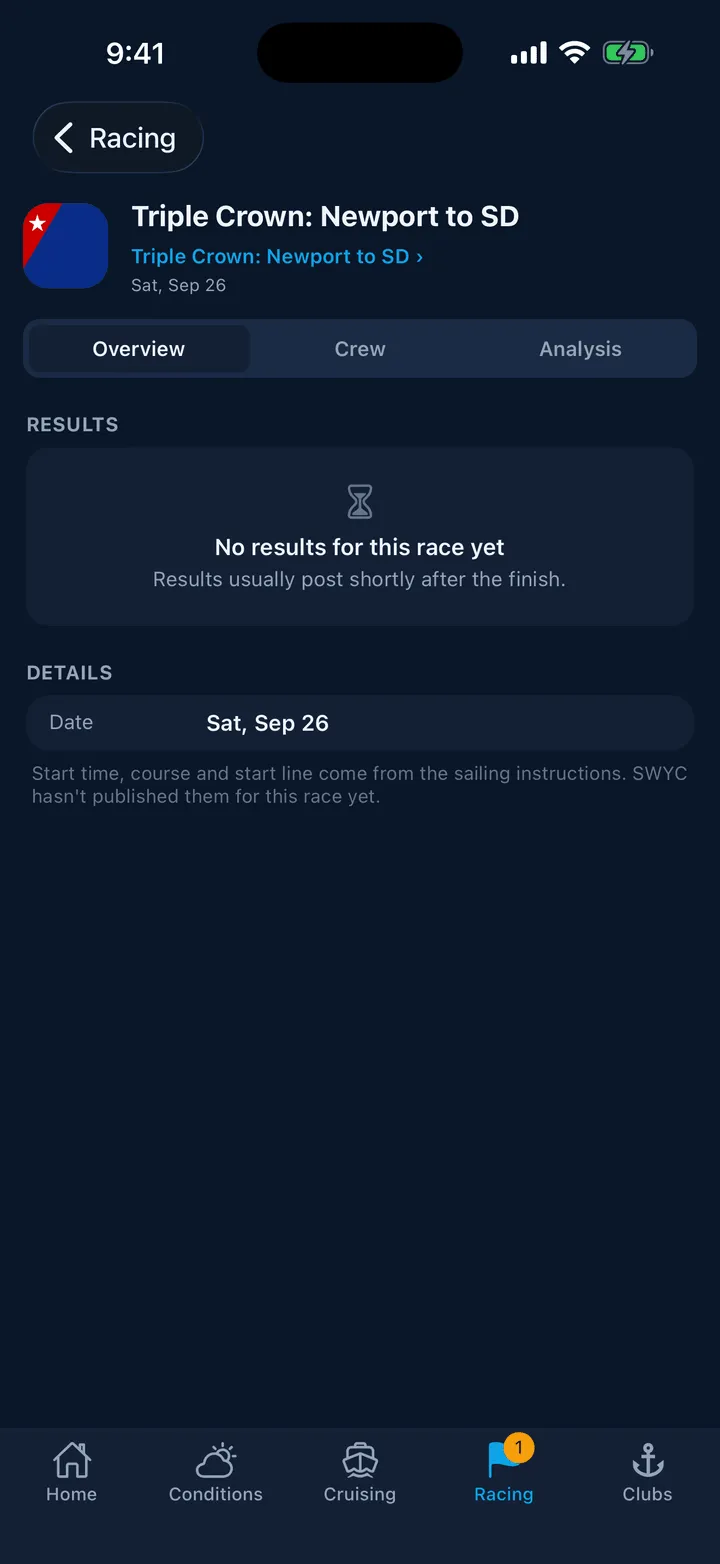
Be prepared for that table to hold only a date. Almost no upcoming race in the calendar carries a start time, a course or a start line, because those live in the sailing instructions rather than in the schedule Slipside reads. The page says as much: Start time, course and start line come from the sailing instructions. A past race often does show a First gun, because the posted results carry the fleet start times.
Forecast is the last section, for a race within the next seven days. Inside about two days you get an hour-by-hour strip through the afternoon with wind and gusts; further out, a single day outlook and the note that the hourly picture arrives two days out. Past and cancelled races have no forecast. The caption says which harbor the wind is for, because a race starting at King Harbor is not read from a Marina del Rey buoy.
When a race did not happen
Two different words, and the difference matters.
Cancelled in red means a person at the host club recorded it. Everyone entered and every crew member gets a notification, and the page carries a banner naming the club.
Not sailed in grey is Slipside’s own inference: the race was never scored, but later races in the same series were. Clubs do not publish an abandon signal, so this is a reasonable guess and it disappears the moment results post.
If a race simply has no results yet, the page says so and, where the club publishes elsewhere, offers a button out to the club’s own results.
The Crew tab
Only for signed-in sailors, and it is about one boat: the one you own that is entered, or the one you have been assigned to. It shows your own spot at the top when you have one, then the lineup with each person’s position and status. Skippers get Assign crew and can send notices from here. See Race assignments.
Still stuck? In the app, open Profile, then Help & Support, and use Send to support. Otherwise email support@slipside.app.