

Getting a push when the wind picks up
Turn on Wind alerts in Profile, set the knots you care about, and Slipside sends one notification each time the observed wind at your home harbor crosses it.
Also known as: wind alert, wind alerts, wind notification, notify me when it is windy, tell me when the wind is up, threshold, knots, alert above, push notification, too windy, blowing
A wind alert is a push notification that says the wind at your home harbor has reached the speed you chose. It watches the live reading, not the forecast, so it tells you what is happening rather than what might.
Turning it on
-
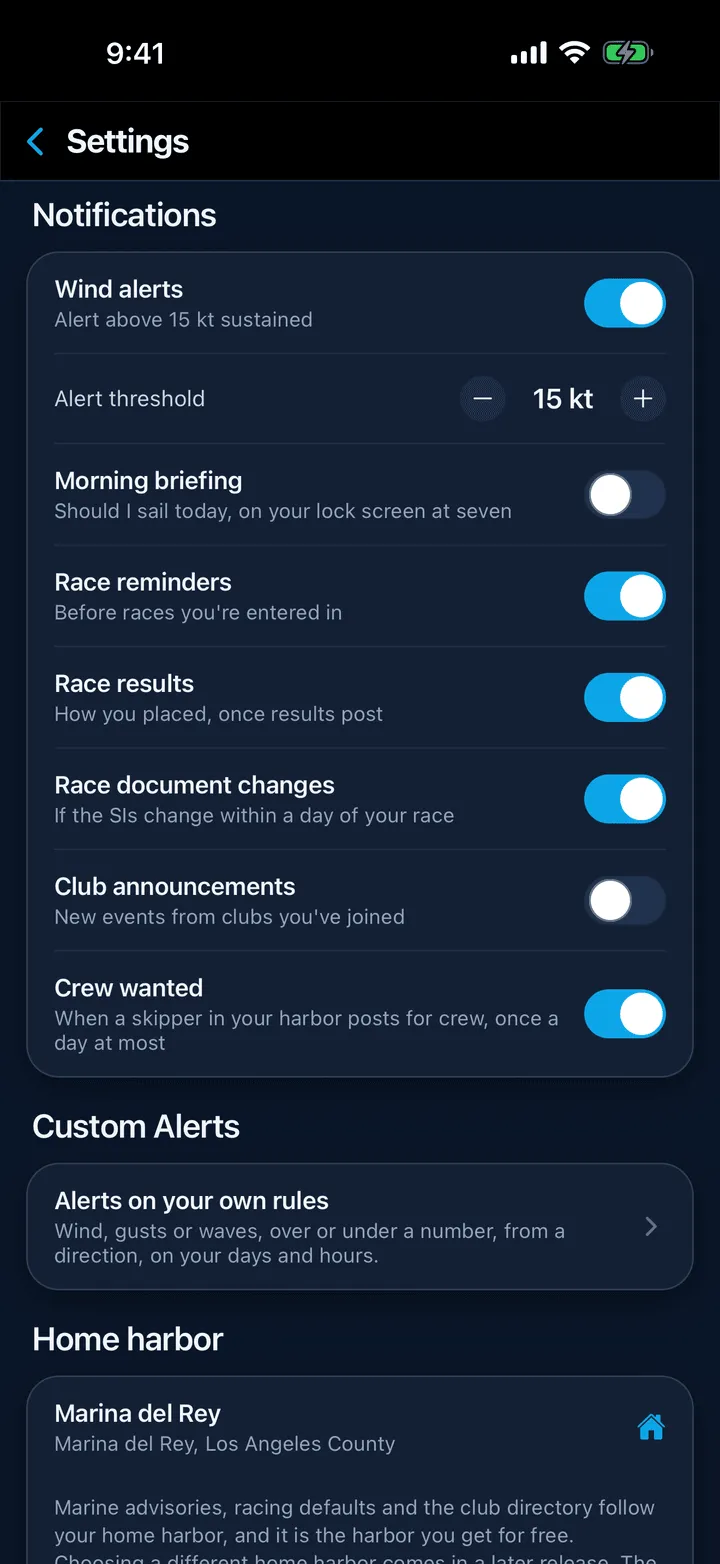
Tap your avatar (or the person icon) at the top right of any screen to open Profile, then scroll to Notifications.
-
Turn on Wind alerts. The line beneath it changes from “When wind crosses your threshold” to “Alert above N kt sustained”.
-
An Alert threshold row appears. Tap the minus and plus buttons to set the sustained wind speed, in knots, that should trigger an alert. It goes from 8 to 30 kt and starts at 18. The threshold is always in knots, even if you display wind in mph elsewhere.
-
If your phone has not yet allowed Slipside to send notifications, allow it when asked. You can check later on iPhone under Settings, then Notifications, then Slipside, and on Android under Settings, then Apps, then Slipside, then Notifications.
That is all. Turn the switch off to stop the alerts; your threshold is remembered for next time.
What arrives, and when
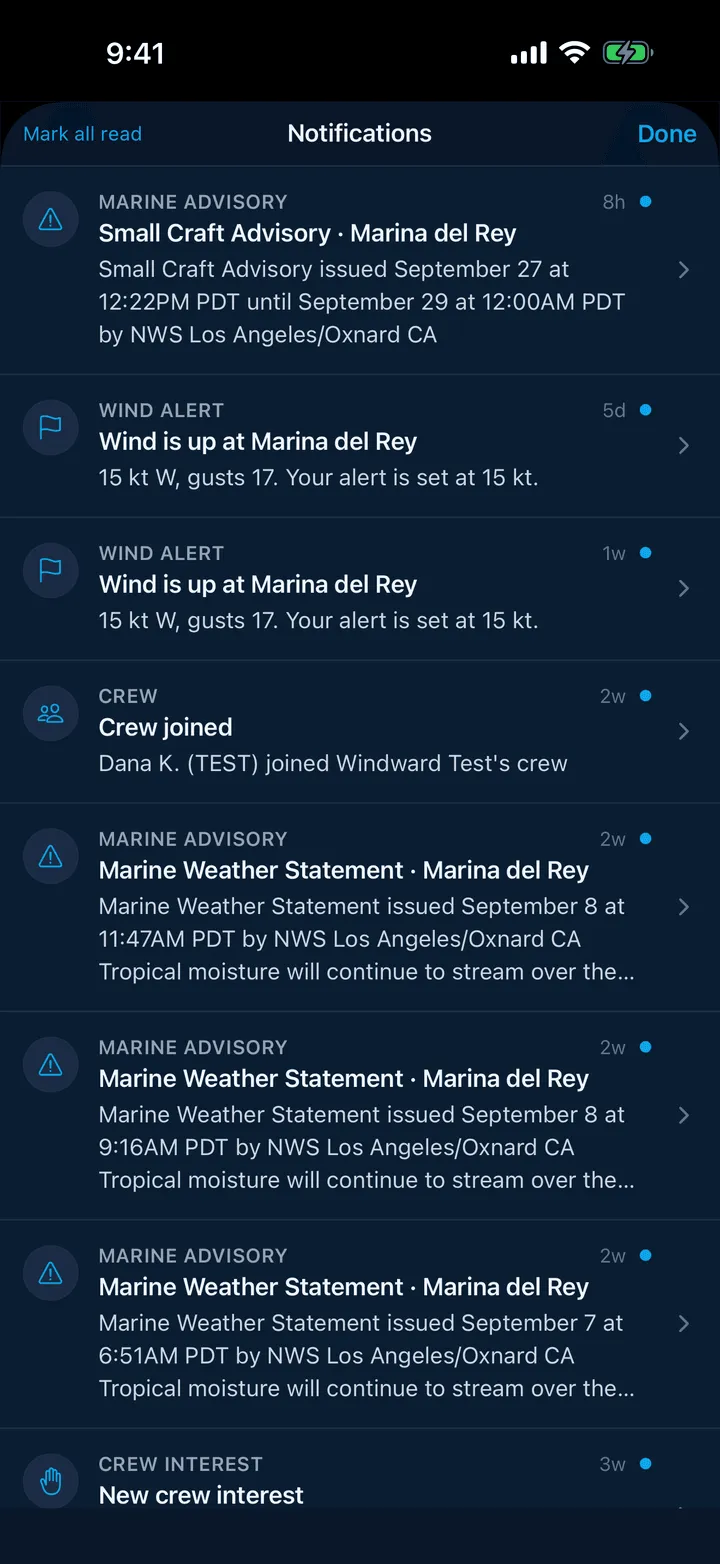
Slipside checks the observed wind at your home harbor’s station every 15 minutes. When the sustained wind reaches your threshold you get one notification, and tapping it opens the Conditions tab for that harbor. The same alert sits in your inbox behind the bell at the top of the screen.
To keep it from nagging on a breezy afternoon:
- You get one alert per crossing. The next one is only armed once the wind has dropped at least 3 knots below your threshold.
- There are never two alerts less than 6 hours apart.
- Nothing is sent between 9 PM and 6 AM harbor time.
Things worth knowing
- The reading comes from the same station as the Wind block on Conditions (for Marina del Rey, the NOAA station at the Santa Monica pier, 3.8 nautical miles from the harbor entrance). It is a coastal reading and can differ from the wind inside the basins.
- Alerts follow your home harbor, set in Profile, not whichever harbor you happen to be looking at in the app.
- Gale and small craft advisories from the Weather Service are a different notification and arrive whether or not Wind alerts is on. See Marine advisories and warnings.
- Notifications need an account: sign in, then turn on the switch.
Still stuck? In the app, open Profile, then Help & Support, and use Send to support. Otherwise email support@slipside.app.