

Listing yourself as available crew
Put yourself on the Crew available board, choose the positions you sail, and keep your contact details private until you accept someone.
Also known as: available to crew, list myself, looking for a boat, want to crew, crew profile, positions, experience, certifications, availability, get on a boat, hide my listing
Listing yourself puts a card on the Crew available side of the board, where skippers look when they are short.
Setting it up
There are two ways in, and they open the same form: Profile, then the Available to crew switch in Sailing Profile, or Racing, then Crew, then List yourself as crew.
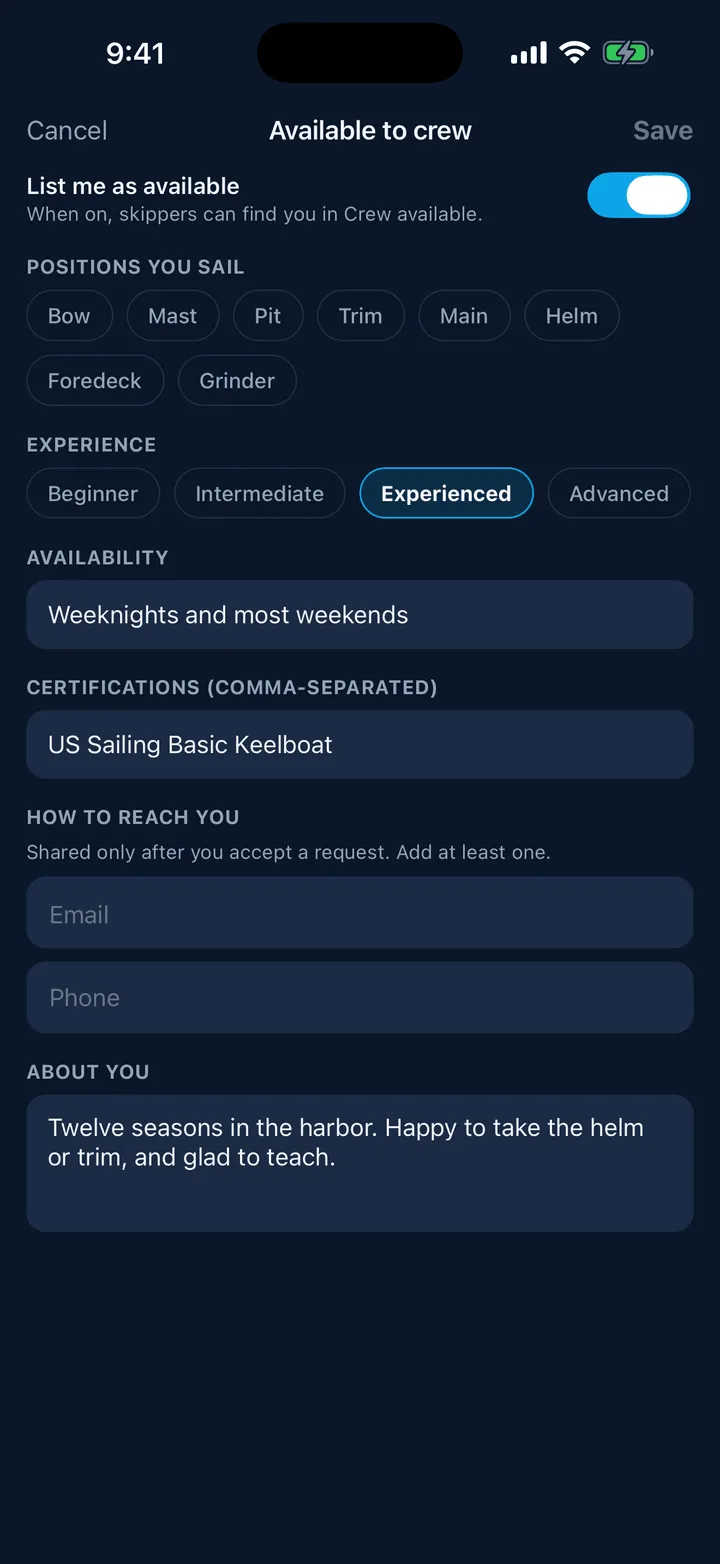
Fill in what is worth knowing:
- List me as available, the switch at the top. Turn it off any time to come off the board without losing what you wrote.
- Positions you sail: Bow, Mast, Pit, Trim, Main, Helm, Foredeck, Grinder.
- Experience: Beginner, Intermediate, Experienced or Advanced.
- Availability in your own words, for example “Weeknights and weekends”.
- Certifications, separated by commas.
- How to reach you: an email address or a phone number.
- About you: a line or two on what you have done and what you are after.
Tap Save. Only a contact detail is required; everything else is optional, but a card with positions and a line about yourself gets answered far more often than a bare name.
What skippers see
Your name and photo, your experience level, your positions, your availability, your note and your certifications.
They do not see your email or your phone number, and there is no way for them to look it up. Your contact is shared with one skipper, automatically, at the moment either of you accepts the other’s request. That is the whole handshake.
Coming off the board
Turn off Available to crew in Profile, or use the Remove link on the status card at the top of the Crew segment. Your details are kept for next season.
Being asked
When a skipper is interested you get a notification, and the request lands on Crew activity. See Asking to sail, and answering.
Still stuck? In the app, open Profile, then Help & Support, and use Send to support. Otherwise email support@slipside.app.