

Adding your boat
Search before you add so your boat is not duplicated, fill in the details that make results and crew lists line up, and understand owner versus crew.
Also known as: add a boat, my boats, boat, sail number, PHRF, division, class, LOA, home slip, owner, crew, duplicate boat, delete boat, edit boat
Your boats live in Profile under My Boats. Add the one you own, and any you regularly crew on.
Search first, then add
-
Open Profile, scroll to My Boats and tap Add.
-
Search by boat name or sail number. If the boat is already on Slipside you can join it rather than making a second copy:
- a result with a skipper offers Join
- a result other crew have listed offers Use
-
If nothing matches, tap Add a new boat.
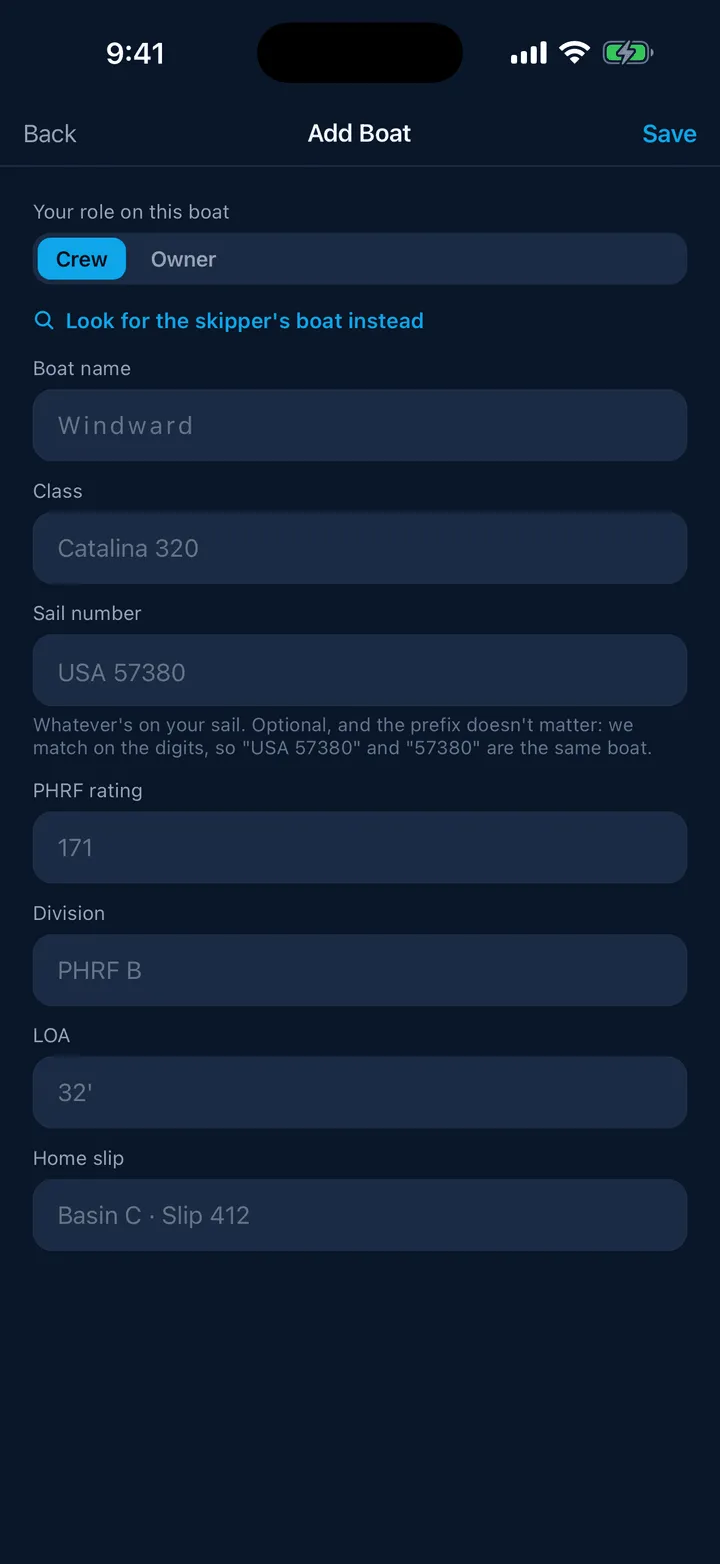
The screen explains why this order matters: joining an existing boat keeps crew lists, race entries and results together instead of splitting them across duplicates.
The fields
- Your role on this boat, Owner or Crew. New boats start as Crew.
- Boat name, the only required field.
- Class, for example Catalina 320.
- Sail number. Type whatever is on your sail. The note under it is worth reading: the prefix does not matter, because Slipside matches on the digits, so “USA 57380” and “57380” are the same boat.
- PHRF rating, Division, LOA and Home slip.
The sail number is the single most useful thing here. It is how your finishes are found in the clubs’ published results, so My results and your result notifications depend on it.
Owner or crew
A boat marked Owner is your record of your boat: you can post a crew spot from it, build a crew roster and assign people to races.
A boat marked Crew is your own note that you sail on it. It is not a seat on the skipper’s roster; that comes from an invitation. When the skipper is on Slipside, link your entry to theirs. See Linking to the skipper’s boat.
Opening a boat
Tapping a boat opens its detail sheet rather than the editor, with a Details tab and, where you have a place on the crew, a Crew tab. Edit is a button at the top right, for boats you own.
To remove a boat you own, open the editor and use Delete boat. To take a boat you crew on off your profile, open it and tap Remove; the skipper’s boat and their crew list are not affected.
Still stuck? In the app, open Profile, then Help & Support, and use Send to support. Otherwise email support@slipside.app.