

Your boat's crew roster
Invite the sailors who race with you, set their usual position, and understand what an invitation looks like from their side.
Also known as: crew roster, invite crew, add crew, my crew, accept invite, decline invite, usual position, remove from crew, leave a boat, crew list
The roster is the standing list of sailors who race with your boat. You invite people once, and then assign them to individual races as often as you like.
Inviting someone
-
Open Profile, then My Boats, and tap a boat you own.
-
Open the Crew tab.
-
Under INVITE CREW, search for a sailor by name. They need a Slipside account: No sailors match. They need a Slipside account first.
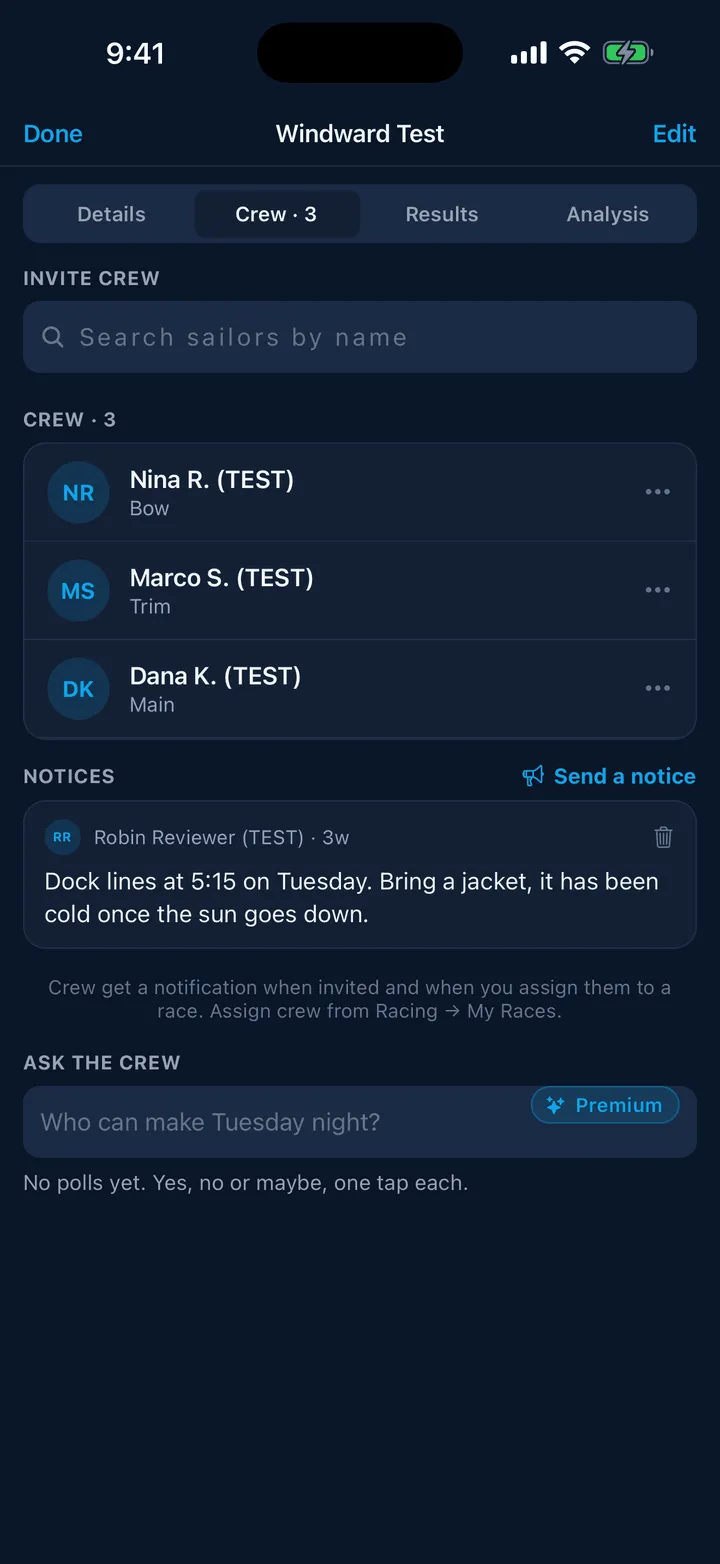
-
Tap Invite beside their name, optionally set a usual position (Helm, Main, Jib trim, Bow, Pit, Mast, Tactician or Floater), and tap Send invite.
They get a notification straight away. Until they accept, their row shows an amber Invited pill.
Answering an invitation
If you are the one invited, the invitation shows up in three places but is answered in one: Crew activity. An amber card at the top of My Races and an Invited pill on the boat in My Boats both take you there. Tap Accept or Decline.
Accepting adds the boat to your own My Boats automatically, and tells the skipper. Declining tells them too, quietly.
Managing the roster
Tap any member for their options:
- an invited member: Cancel invite
- an active member: Set usual position or Remove from crew
Removing someone also withdraws them from any future races on that boat, so a person who leaves the boat does not stay on next week’s lineup.
What crew see
A crew member opening the same tab sees the other active crew and nothing else: no invite box, no pending invitations, no controls. Pending invitations are private to the skipper and the person invited.
Then what
With people on the roster you can put them on a race. See Race assignments.
Still stuck? In the app, open Profile, then Help & Support, and use Send to support. Otherwise email support@slipside.app.