

Notifications and what you can turn on
Every switch in Profile with its default, how to allow notifications on your phone, the inbox behind the bell, and the ones that always send.
Also known as: notifications, push, alerts, turn off notifications, too many notifications, not getting notifications, inbox, bell, unread, permission, allow notifications, quiet hours
Notifications need an account, and they need your phone to allow them.
Allowing them
The first time it matters, your phone asks. If you said no, or tapped Maybe later during setup, you can change it: on iPhone, Settings, then Notifications, then Slipside; on Android, Settings, then Apps, then Slipside, then Notifications.
This is worth checking before anything else, because the switches inside Slipside keep working whether or not your phone allows notifications. It is possible to have everything turned on and receive nothing.
The switches
Open Profile and scroll to Notifications.
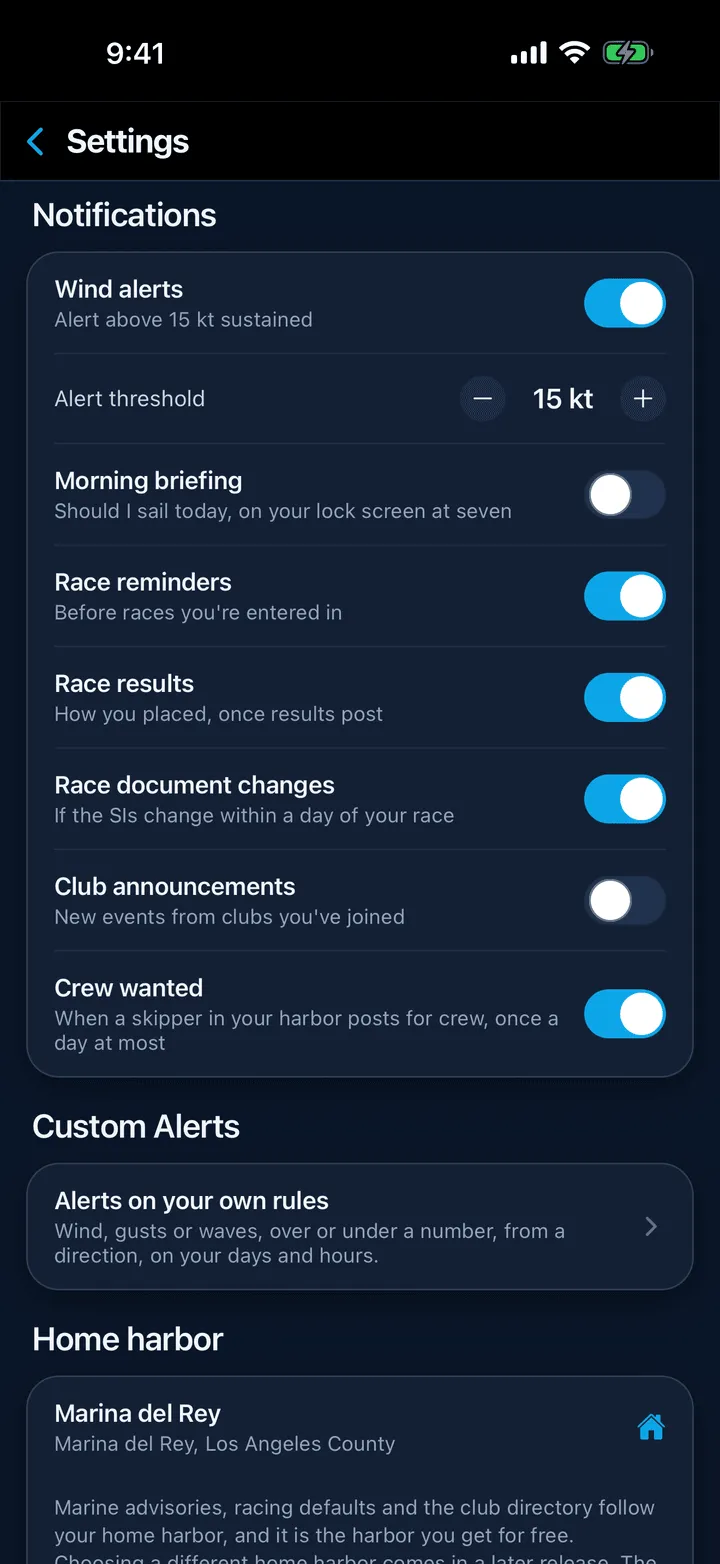
- Wind alerts, off by default. When on, an Alert threshold row appears; set the sustained wind in knots, from 8 to 30. See Getting a push when the wind picks up.
- Race reminders, “Before races you’re entered in”. Off by default.
- Race results, “How you placed, once results post”. On by default. Also covers results being posted and your position in the standings moving.
- Race document changes, “If the SIs change within a day of your race”. On by default.
- Club announcements, “New events from clubs you’ve joined”. Off by default.
Turning any of them on also asks your phone for permission, if it has not been asked.
The ones with no switch
Some always send, because someone is addressing you directly: a race being cancelled, a crew invitation, a race assignment, a crew member answering one, and a notice from a skipper. Marine advisories from the Weather Service also always send. See Marine advisories and warnings.
Quiet hours
Results and standings wait for the morning rather than arriving at 11 pm. A change to the sailing instructions the night before your race is the exception and can arrive at any hour. Wind alerts are quiet between 9 pm and 6 am.
The inbox
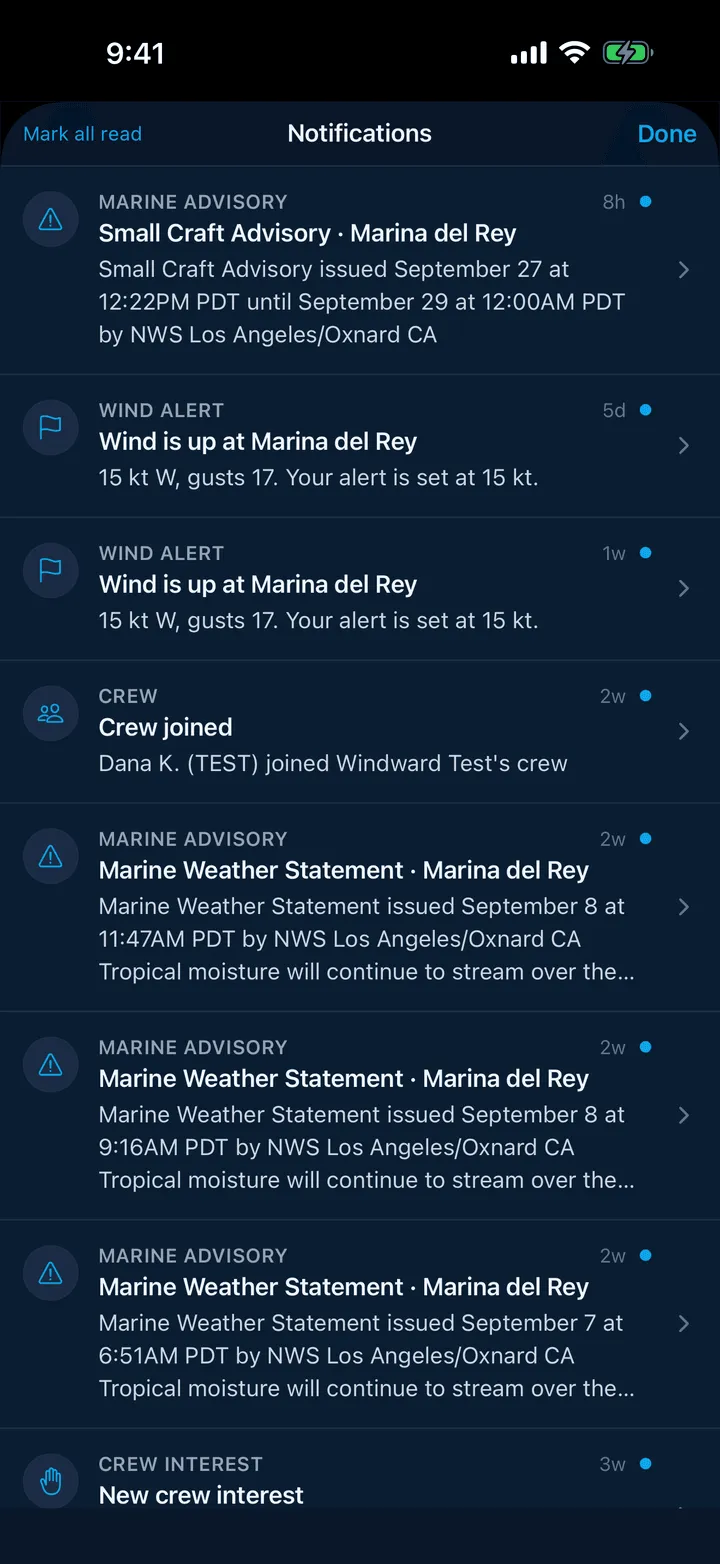
Everything Slipside sends you is kept behind the bell at the top of any screen, whether or not the push arrived. The badge counts unread ones.
Tap a row to read the whole thing: the inbox truncates, the detail screen does not. Most have a button to the thing they are about, such as See the results, Open the race, Open the crew list or See conditions. Mark all read is at the top left.
Still stuck? In the app, open Profile, then Help & Support, and use Send to support. Otherwise email support@slipside.app.