

Sending a notice to your crew
A one-way message from the skipper to the whole boat or to one race's lineup, who receives it, and why there are no replies.
Also known as: notice, message crew, tell my crew, dock change, what to bring, broadcast, crew message, reply, chat, notify crew, skipper notice
A notice is the skipper saying one thing to everybody: the dock has changed, bring foulies, be there at five.
Sending one
Notices live in two places, and where you send from decides who gets it.
- From Profile, then My Boats, then a boat you own, then the Crew tab: everyone active on that boat’s roster.
- From a race’s Crew tab: only the people on that race’s lineup.
Tap Send a notice. The line above the box tells you the audience, for example Goes to 4 people on this race’s crew. Write up to 500 characters and tap Send.
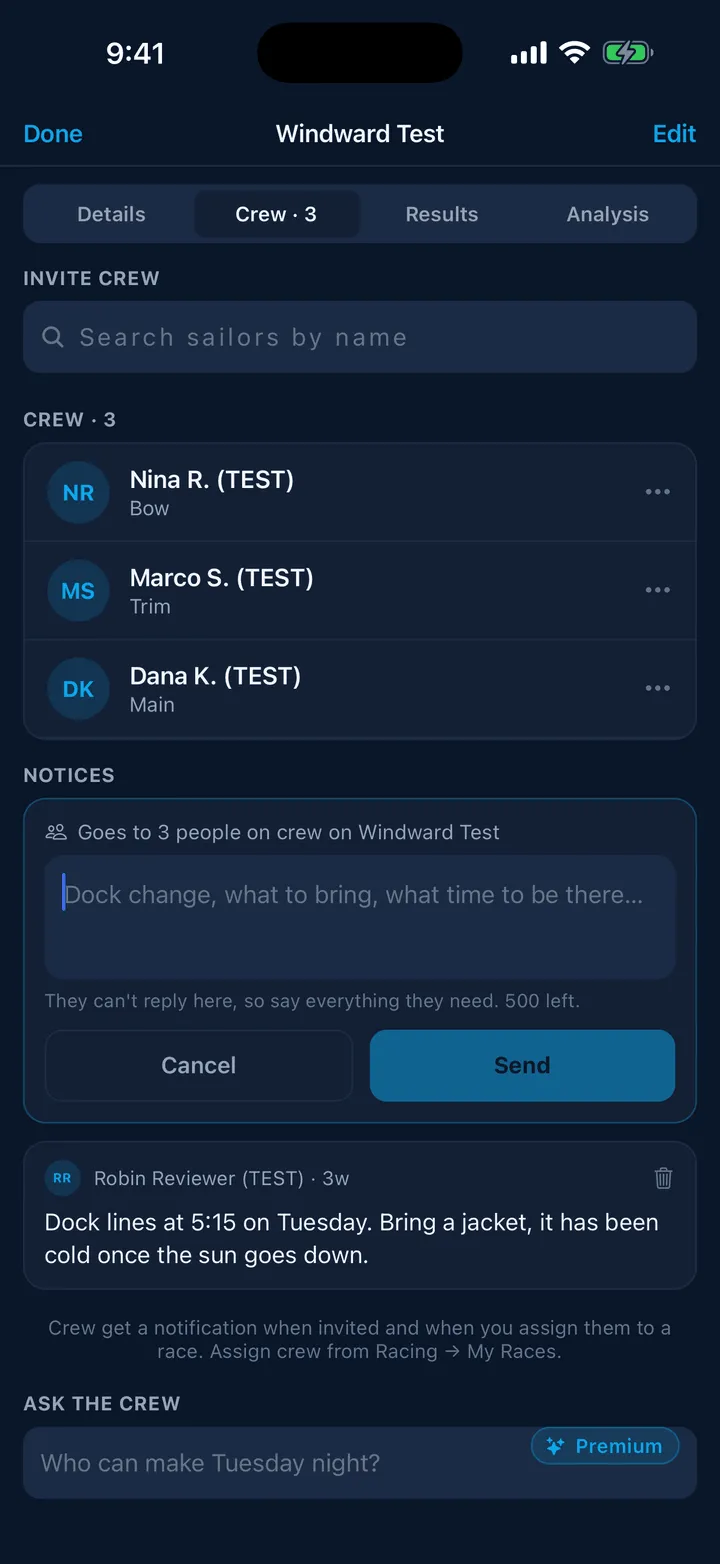
It arrives as a push notification whose title is the boat, for example “Windward Test”, or the boat and the race for a race notice. The body is exactly what you wrote, with no wrapper, and it is also kept in each person’s notification inbox.
There are no replies
This is on purpose. A notice is a broadcast, not a chat. The question a skipper usually needs answered, can you make Tuesday, is what race assignments are for: one tap, and you see who confirmed.
The composer says the same thing in one line: They can’t reply here, so say everything they need.
Managing notices
Sent notices are listed newest first under NOTICES, with who sent each and when. On the boat-wide list, a race notice is marked · for a race.
You can delete one you sent. It disappears from the crew’s list, but the notification they already received stays on their phone: It disappears from the crew’s list here. The notification they already got stays on their phone.
There is no editing. Send another if you got it wrong.
Links are allowed here
Unlike Crew Finder posts, a notice may contain a link, because a skipper sometimes needs to send the sailing instructions.
Still stuck? In the app, open Profile, then Help & Support, and use Send to support. Otherwise email support@slipside.app.