

The Should I sail today? briefing
What the GO, CAUTION and ASHORE badges mean, how to expand the card for the full day, and what the briefing does and does not know.
Also known as: should I sail, briefing, go, caution, ashore, verdict, badge, AI briefing, summary, how the day shapes up, is it safe to sail, good day to sail, tonight, tomorrow, experience level, briefing length, too cautious, not cautious enough
The card at the top of Home is a short read of the day, written from the live conditions and the forecast for your harbor. It is meant to answer one question quickly, and then get out of your way.
Reading the card
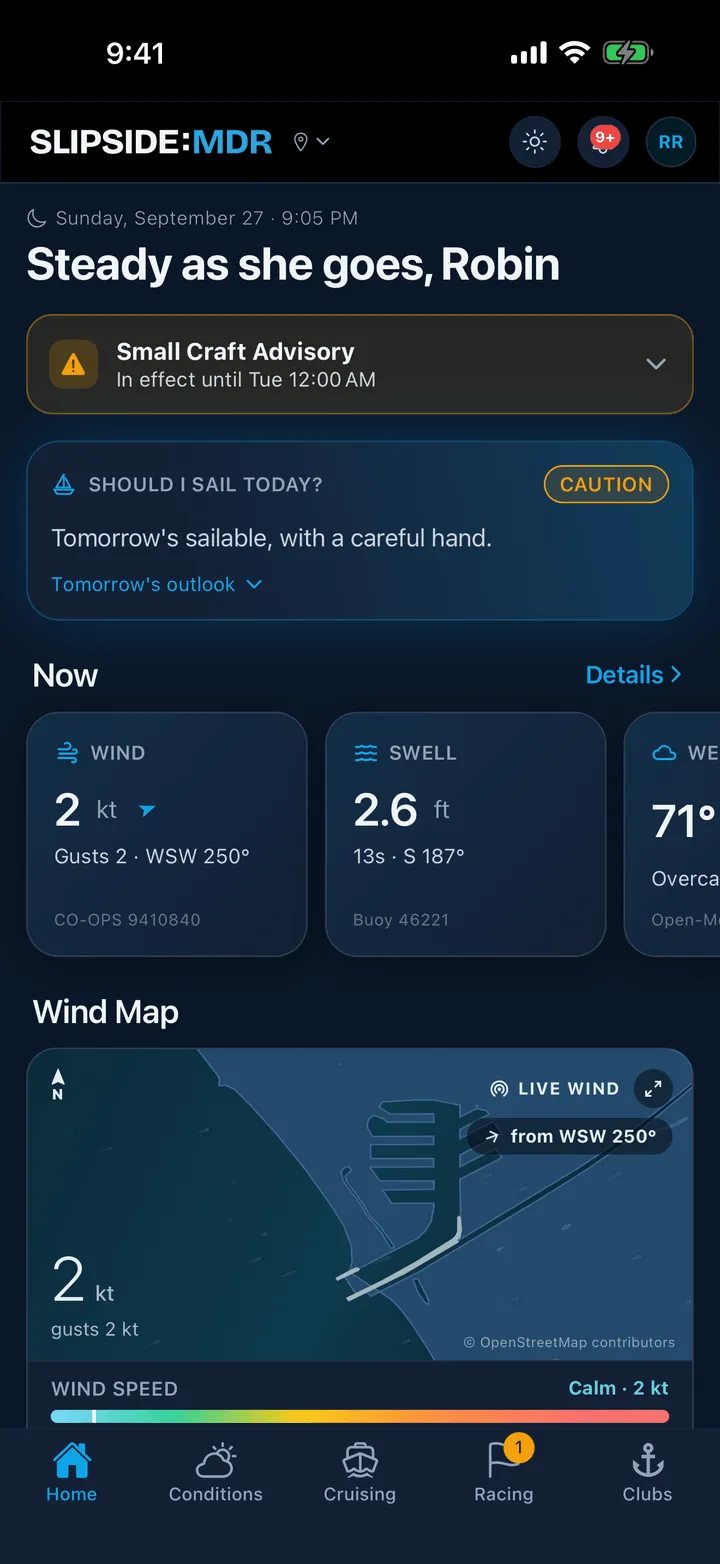
The badge at the top right is the verdict:
- GO: nothing in the forecast argues against going out.
- CAUTION: sailable, but there is something to plan around, such as wind building later, a gusty afternoon or a lumpy sea.
- ASHORE: the numbers are past what most boats in the harbor would choose, or the Weather Service has a warning in effect.
The two or three sentences underneath say why, in plain words: what the wind is doing now, what it is expected to do, and anything to watch for.
Where those lines fall depends on your experience level, which you set in Profile (see below). At the Club setting, sustained wind of 20 knots, gusts of 25 or seas of 4 feet anywhere in the window earn CAUTION, and 28 knots, gusts of 33 or seas of 6 feet earn ASHORE.
Expanding the full day
-
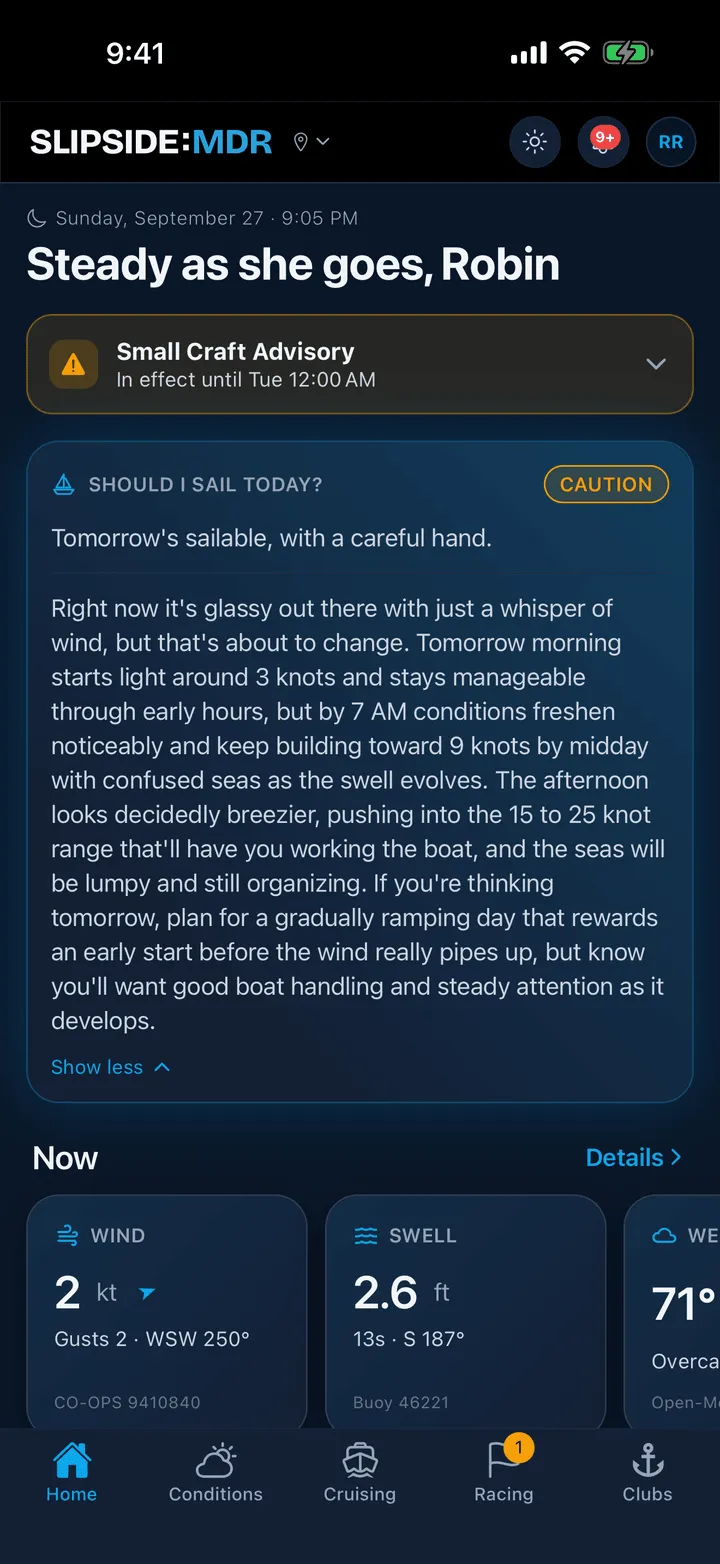
Tap the card, or the link at its foot. The link reads How the day shapes up during the day and Rest of today & tomorrow AM in the evening.
-
The detail paragraph opens below a divider. Tap Show less to fold it back.
What it takes into account
The briefing reads the same numbers you see on the Conditions tab: the live wind at the Santa Monica station, the hourly wind and gust forecast, the wave height, and any active marine advisory. Then it looks at the clock.
- In the morning and afternoon it looks ahead within today, and will tell you if the wind builds, eases or shifts, and roughly when.
- In the evening it notes how much daylight is left and adds a line about tomorrow morning.
- At night it reports the conditions now and then turns to tomorrow, since that is the window you are likely deciding about.
The badge follows the window the words describe. A calm morning with a strong afternoon in the forecast reads CAUTION, not GO, because the day as a whole is what you are asking about. At night the badge reflects tomorrow.
A warning from the National Weather Service (a gale warning, for example) always pulls the verdict to ASHORE.
What it does not know
The briefing is written by an AI model from the forecast. It does not know your boat, your crew, where you are going or how long you plan to be out, and a forecast can be wrong. Treat it as a first read, then check the marine advisories, look at the current conditions and look at the water. The note under the AI Briefing settings in Profile says it in one line: the briefing reads the forecast, not your boat or your day. Look at the water, know your limits, and sail to your ability.
If the AI service cannot be reached, the card falls back to a shorter, rules-based read of the same numbers, so it never goes blank.
Tuning it to you
Open Profile and scroll to AI Briefing. Two settings change what the card says.
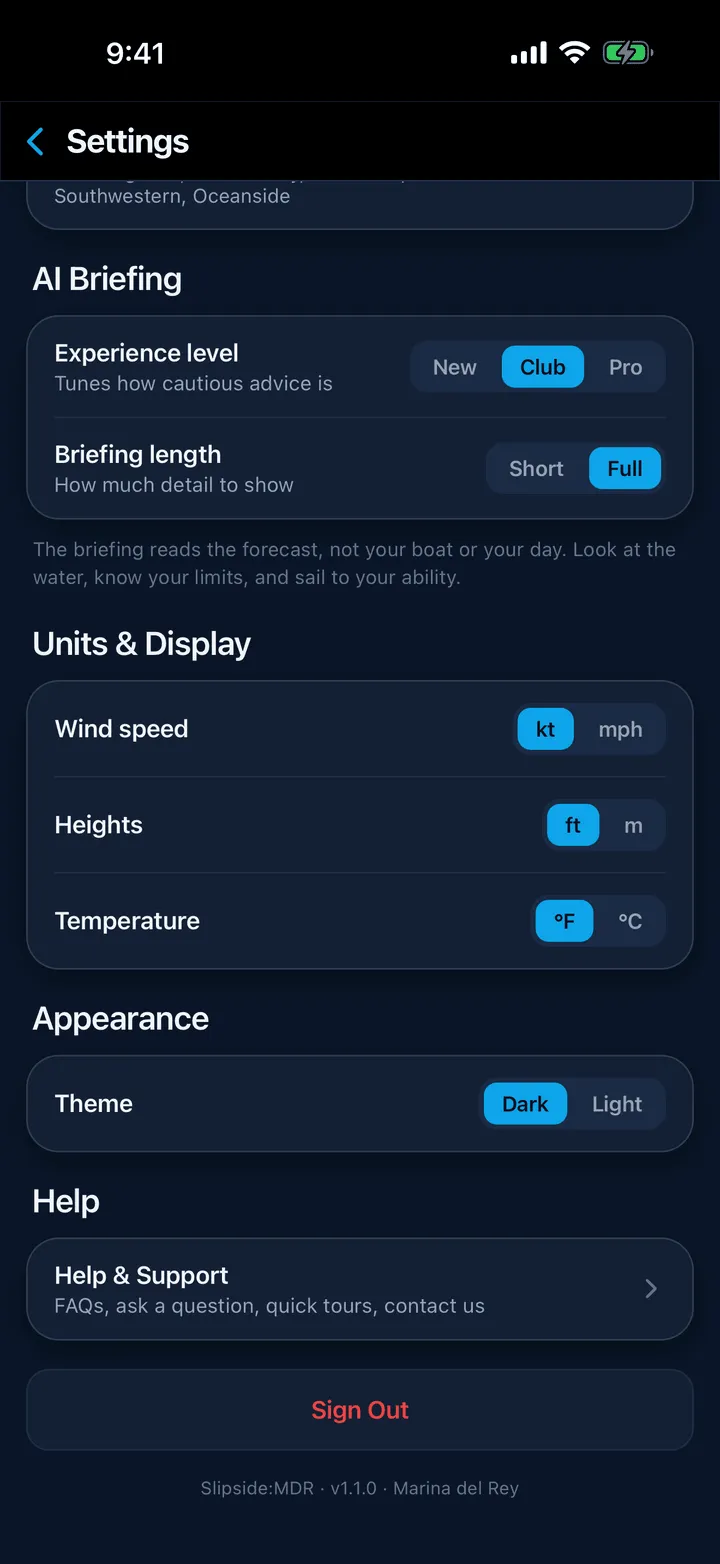
Experience level moves the lines the verdict is scored against, and tells the writing who it is talking to.
| CAUTION at | ASHORE at | |
|---|---|---|
| New | 15 kt, gusts 20, seas 3 ft | 22 kt, gusts 27, seas 5 ft |
| Club | 20 kt, gusts 25, seas 4 ft | 28 kt, gusts 33, seas 6 ft |
| Pro | 25 kt, gusts 30, seas 5 ft | 33 kt, gusts 40, seas 8 ft |
So a 3 to 4 foot afternoon reads CAUTION on New and GO on Club and Pro, from the same forecast. New also asks for plainly cautious wording that explains what a number means for a small crew; Pro skips the basics and gives you numbers and timing.
Briefing length decides how much you get when you expand the card: Short is one or two sentences, Full is a paragraph. It changes the writing, never the verdict.
Both settings take effect on the next briefing, which loads the moment you close Profile. Experience level is saved to your sailing profile, so Crew Finder shows it too and it follows you to another phone; briefing length is kept on this device.
Still stuck? In the app, open Profile, then Help & Support, and use Send to support. Otherwise email support@slipside.app.